 info@globaxsolutions.com
  +91-790-200-2800
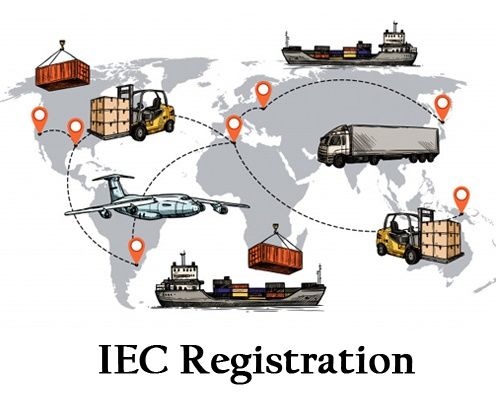
IEC Registration Online: Your Fast, Paperless Guide to Obtaining the Import Export Code
Introduction: The Digital Gateway to Global Markets
Hook: Ready to transact across borders? The key that unlocks your business to the world is the Import Export Code (IEC). This mandatory 10-digit number is your license to import and export goods and services from India.
The Big Change: Gone are the days of tedious paperwork and long waits. The Directorate General of Foreign Trade (DGFT) has made the IEC application process 100% online, paperless, and PAN-based, streamlining approval.
Globax Promise: This guide provides a simple, step-by-step walkthrough of the online IEC registration process, ensuring you complete your application quickly, accurately, and without costly rejections.
Part I: The Essentials – Documents and Requirements
The IEC is issued against your Permanent Account Number (PAN), and the entire application is linked to your digital identity.
Key Prerequisites (Have these ready digitally – PDF or JPEG):
| Requirement | Details |
| 1. PAN Card | The PAN card of the individual/firm/company (The IEC is the same as the PAN). |
| 2. Identity Proof | Aadhaar Card, Passport, or Voter ID of the applicant/proprietor/director. |
| 3. Bank Details | A cancelled cheque (with pre-printed name of the entity) OR a Bank Certificate linking the PAN to the Current Account. |
| 4. Address Proof | Latest utility bill (electricity/telephone) or a Rent/Lease Agreement for the registered office address. |
| 5. Photograph | Passport-sized digital photograph of the authorized signatory. |
| 6. Application Fee | ₹500 (Fixed Government Fee). |
Part II: Step-by-Step IEC Registration Online via DGFT Portal
The DGFT website is the only official portal for filing.
Step 1: User Registration on DGFT Portal
Navigate to the official DGFT website:
https://www.dgft.gov.in.Click ‘Login’ then ‘Register’. Select ‘Importer/Exporter’ as the user type.
Complete the registration using your mobile number, email ID, and PAN. Verify with the OTPs received.
Step 2: Start the IEC Application
Log in to the portal using your credentials.
Go to ‘My Dashboard’ → ‘Importer Exporter Code (IEC)’ → ‘Apply for IEC’ (or ‘Services’ → ‘IEC Profile Management’).
The system will auto-populate your basic details (Name, Entity Type) based on your PAN.
Step 3: Fill Out the Application Form (ANF 2A)
Fill in the mandatory sections accurately:
General Information: Basic details of the firm.
Proprietor/Director Details: Information of the key management personnel (linked to Aadhaar for e-signing).
Bank Information: Enter the Current Account details that match your bank proof.
Business Details: Select the nature of your business (Manufacturer/Trader/Service Provider) and the primary product sector (using ITC-HS Codes).
Step 4: Upload Documents and Payment
Upload: Attach the scanned documents prepared in Part I. Ensure file sizes are within the prescribed limits.
Fee Payment: Pay the non-refundable government fee of ₹500 through the available online payment modes (Net Banking, UPI, etc.). Download the payment receipt.
Step 5: E-Sign and Final Submission
Authenticate the application using Aadhaar e-Sign (via OTP) or a Digital Signature Certificate (DSC).
Once signed, submit the application. You will receive an acknowledgement.
Issuance: The DGFT system verifies the PAN and bank details. If compliant, the e-IEC certificate is usually generated and emailed within 1-3 working days.
Part III: Compliance and Maintenance
The IEC is permanent, but its validity requires annual compliance.
IEC Update Obligation
Under current DGFT rules, every IEC holder must electronically confirm and update their IEC details annually between April and June, even if there are no changes. Failure to do so can lead to deactivation of the IEC.
Common Mistakes to Avoid:
PAN and Bank Mismatch: The name on your PAN, the name on the DGFT registration, and the name on your bank account proof must match exactly.
Unclear Documents: Blurry or incomplete scans are the top reason for application rejection.
Incorrect Current Account: Using a personal savings account instead of a dedicated business current account.
Contact us for more details of & Your registration
Our team will be happy to assist you
Mobile: +91-790-200-2800