 info@globaxsolutions.com
  +91-790-200-2800
The Gateway to Global Trade: How to Get Your IEC (Import Export Code) Quickly and Easily
Introduction: Your License to Go Global
Hook: You’ve found your product and identified your market. The single most crucial legal step before you can dispatch your first container or receive your first imported shipment is obtaining the Import Export Code (IEC).
What is the IEC? The IEC is a 10-digit unique code issued by the Directorate General of Foreign Trade (DGFT), Ministry of Commerce and Industry. It acts as the primary identification required for your business in international trade.
The Importance: Without an IEC, you cannot complete customs clearance, nor can your bank process international remittances related to trade.
The Good News (Globax Update): The entire application process is now 100% online, integrated with your PAN, and often granted in a matter of hours/days. Here is your step-by-step guide from Globax Solutions.
Part I: Prerequisites – What You Need Ready
Before starting the online application, ensure you have these documents and details prepared. The IEC is issued against the applicant’s Permanent Account Number (PAN).
Mandatory Documents/Details:
PAN Card: Your firm’s PAN Card (or individual PAN if applying as a proprietorship).
Aadhaar Card: The Aadhaar number of the applicant (for e-signing the application).
Bank Details: A cancelled cheque or a bank certificate that clearly shows the firm’s name, current account number, and IFSC code.
Proof of Address: Any standard utility bill or address proof for the firm’s location.
Digital Signature (Optional but Recommended): While not strictly mandatory as Aadhar e-Sign is an option, a Digital Signature Certificate (DSC) speeds up the process for firms applying frequently.
Part II: The 5-Step Online Application Process (DGFT Portal)
The application is processed entirely through the DGFT’s online portal.
Step 1: Access the DGFT Website and Register
Go to the official DGFT website.
Click on “Apply for IEC” or “Service” section.
Register as a new user by entering basic details (name, email, mobile number) and verifying with an OTP (One-Time Password).
Step 2: Start the IEC Application Form (ANF 2A)
Log in using your credentials.
Select “Apply for New IEC”.
The system will require your firm’s PAN. Once entered, the system automatically pulls basic details (like the legal name) from the Income Tax department database.
Step 3: Fill in Firm Details and Business Type
Firm Details: Enter the address, name of the proprietor/director, and contact information.
Bank Details: Accurately enter your current account number and IFSC code as per your cancelled cheque/bank certificate.
Nature of Concern: Select the nature of your business (Manufacturer, Trader, Service Provider). You can select multiple options.
Preferred Sector: Select the sector you wish to operate in (e.g., Textiles, Chemicals, Engineering, etc.).
Step 4: Upload Documents and Fee Payment
Upload: Upload the required scanned documents (Bank Proof, Address Proof). Ensure they are clear and adhere to the file size limits.
Declaration: Sign the declaration certifying the accuracy of the information provided.
Payment: Pay the requisite application fee online via Net Banking, Credit/Debit Card, or UPI. (The fee is nominal and changes as per DGFT notification).
Step 5: Final Submission and IEC Generation
e-Sign/DSC: Digitally sign the application using your Aadhaar e-Sign or your DSC.
Submission: Submit the final application.
Generation: Upon successful submission and verification by the DGFT system, your IEC is typically generated promptly. You will receive an email notification and can download the e-IEC certificate from the DGFT portal.
Part III: IEC Modification & Common Mistakes
The E-IEC is Permanent, But Data Must Be Updated
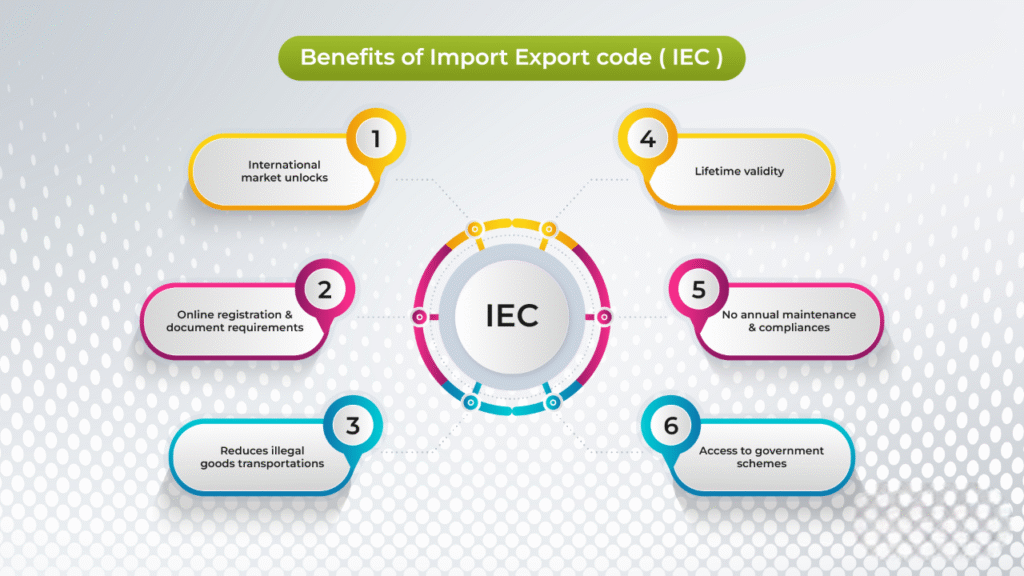
Once issued, the IEC is valid for the lifetime of the entity. However, any changes to your registered address, directors, or bank details must be updated immediately on the DGFT portal. Failure to update can lead to compliance issues during customs clearance.
Common Beginner Mistakes to Avoid:
Using a Savings Account: The IEC must be linked to a Current Account in the firm’s name.
PAN Mismatch: Ensuring the PAN used for the IEC application exactly matches the PAN registered with your bank account is critical.
Incomplete Bank Proof: The cancelled cheque or bank letter must clearly state the firm’s legal name and the full account number.
Contact us for more details of & Your registration
Our team will be happy to assist you
Mobile: +91-790-200-2800